Sending money from Kenya to Uganda has become easier than ever thanks to M-PESA Global. Whether you want to support family, pay for services, or send emergency funds, you can transfer money directly from your Safaricom M-Pesa account to Ugandan mobile wallets within minutes.
In this guide, you’ll learn exactly how to send money to Uganda via M-Pesa using both USSD codes and the M-PESA app, including fees, limits, supported networks, and important tips to avoid mistakes.
What Is M-PESA Global?
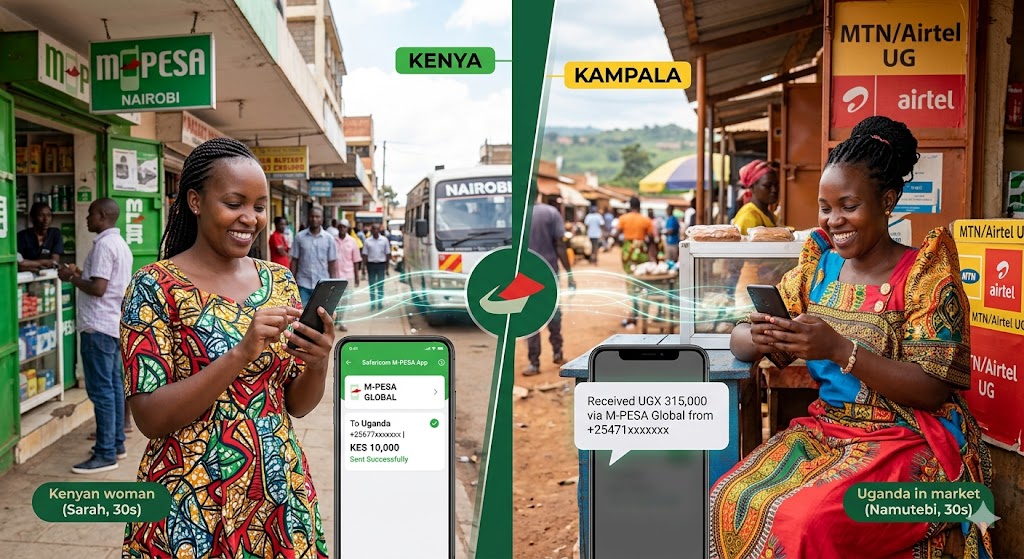
Safaricom introduced M-PESA Global to allow customers to send money internationally directly from their M-Pesa wallets.
With this service, Kenyan users can transfer funds to Uganda mobile money accounts such as:
- MTN Uganda Mobile Money
- Airtel Uganda Money
The recipient receives the funds in Ugandan Shillings (UGX) almost instantly.
Requirements Before Sending Money to Uganda
Before starting the transfer, make sure you have:
- An active Safaricom line
- A registered M-Pesa account
- Enough balance in your M-Pesa wallet
- The recipient’s correct Ugandan phone number
- M-PESA Global activated on your line
The Ugandan number should begin with the country code:
256XXXXXXXXX
Example:
256771234567
Method 1: Send Money to Uganda Using USSD Code
This is the fastest option if you do not have internet access.
Option A: Using *334#
Step-by-Step Process
- Dial
*334#on your Safaricom line - Select Send Money
- Choose M-PESA Global
- If it’s your first time:
- Accept Terms & Conditions
- Select your region
- Enter your M-Pesa PIN
- Select:
- Send Money Abroad
- Then Send to Mobile
- Enter the Ugandan phone number starting with
256 - Enter the amount in Kenyan Shillings (KES)
- Review the exchange rate and recipient details
- Confirm the transaction
- Enter your M-Pesa PIN to complete the transfer
Once successful, both sender and recipient receive an SMS confirmation.
Option B: Using *840#
You can also use the M-PESA Global shortcut menu.
Steps
- Dial
*840# - Opt in if prompted
- Select Send Money Abroad
- Enter the Uganda phone number
- Input the amount to send
- Confirm details and enter your PIN
This method is simple and works on all phones, including feature phones.
Method 2: Send Money to Uganda Using the M-PESA App
If you use a smartphone, the app offers a more convenient and user-friendly experience.
Steps to Send Money via the M-PESA App
- Open the M-PESA App or MySafaricom App
- Log in using your PIN or fingerprint
- Tap Transact
- Select Global or M-PESA Global
- Choose Send to Mobile
- Select Uganda as the destination country
- Enter:
- Recipient phone number
- Recipient name
- Amount to send
- Review:
- Exchange rate
- Transfer fees
- Recipient details
- Tap Send
- Enter your M-Pesa PIN to authorize payment
The money is usually delivered instantly.
Supported Mobile Networks in Uganda
You can send money directly to major Ugandan mobile money services including:
- MTN Uganda Mobile Money
- Airtel Uganda Money
Always confirm the recipient uses a supported mobile wallet before sending.
M-Pesa to Uganda Transaction Limits
Here are the current M-PESA Global limits for Uganda transfers:
| Transaction Type | Limit |
|---|---|
| Minimum Amount | KES 101 |
| Maximum Per Transaction | KES 150,000 |
| Daily Sending Limit | KES 300,000 |
Limits may change depending on Safaricom policies.
How Long Does It Take?
Most M-Pesa transfers to Uganda are processed instantly. However, delays may occasionally happen due to:
- Network issues
- System maintenance
- Incorrect recipient details
- High transaction volumes
Charges and Exchange Rates
M-PESA Global charges transaction fees depending on:
- Amount sent
- Destination country
- Current exchange rate
Before confirming the transaction, the system automatically displays:
- Total fees
- Currency conversion
- Amount the recipient will receive in UGX
This helps avoid surprises.
Important Tips Before Sending Money
1. Double-Check the Recipient Number
Cross-border reversals can take time and are not always guaranteed. Always verify the phone number carefully.
2. Confirm the Recipient Name
During the Hakikisha confirmation step, ensure the displayed name matches the intended recipient.
3. Send a Small Test Amount First
If you are sending to a new recipient for the first time, consider sending a smaller amount before making a larger transfer.
4. Keep Your PIN Secret
Never share your M-Pesa PIN with anyone.
Benefits of Sending Money to Uganda via M-Pesa
Using M-PESA Global offers several advantages:
- Fast transfers
- No bank account required
- Available 24/7
- Secure mobile transactions
- Convenient for family support and business payments
- Accessible on both smartphones and basic phones
Frequently Asked Questions (FAQs)
Can I send money from Kenya to Uganda without internet?
Yes. You can use *334# or *840# without needing mobile data or Wi-Fi.
Which Ugandan networks support M-Pesa transfers?
Currently, you can send money to:
- MTN Uganda
- Airtel Uganda
How much money can I send at once?
You can send up to KES 150,000 per transaction.
Is M-PESA Global safe?
Yes. Transactions are encrypted and secured using your M-Pesa PIN.
Final Thoughts
Sending money to Uganda via M-Pesa is one of the easiest and fastest ways to transfer funds across East Africa. Whether you use the USSD method or the M-PESA app, the process is simple, secure, and reliable.
As long as you enter the correct Ugandan mobile number and verify the recipient details carefully, your transfer should arrive within minutes.