Introduction — About Timiza Loan App Kenya
Timiza is a mobile banking and loan app owned by Absa Bank Kenya, offering instant digital loans to Kenyans directly via M-Pesa. With loan limits up to Ksh 150,000, low interest rates, and flexible repayment periods of up to 3 months, Timiza has become one of the most trusted and convenient loan services in Kenya.
Apart from loans, the Timiza app also allows users to save, buy airtime, pay bills, and access Absa Bank products right from their phones.
If you’ve borrowed through Timiza and are now wondering how to repay your Timiza loan, this comprehensive guide walks you through every available method step-by-step.
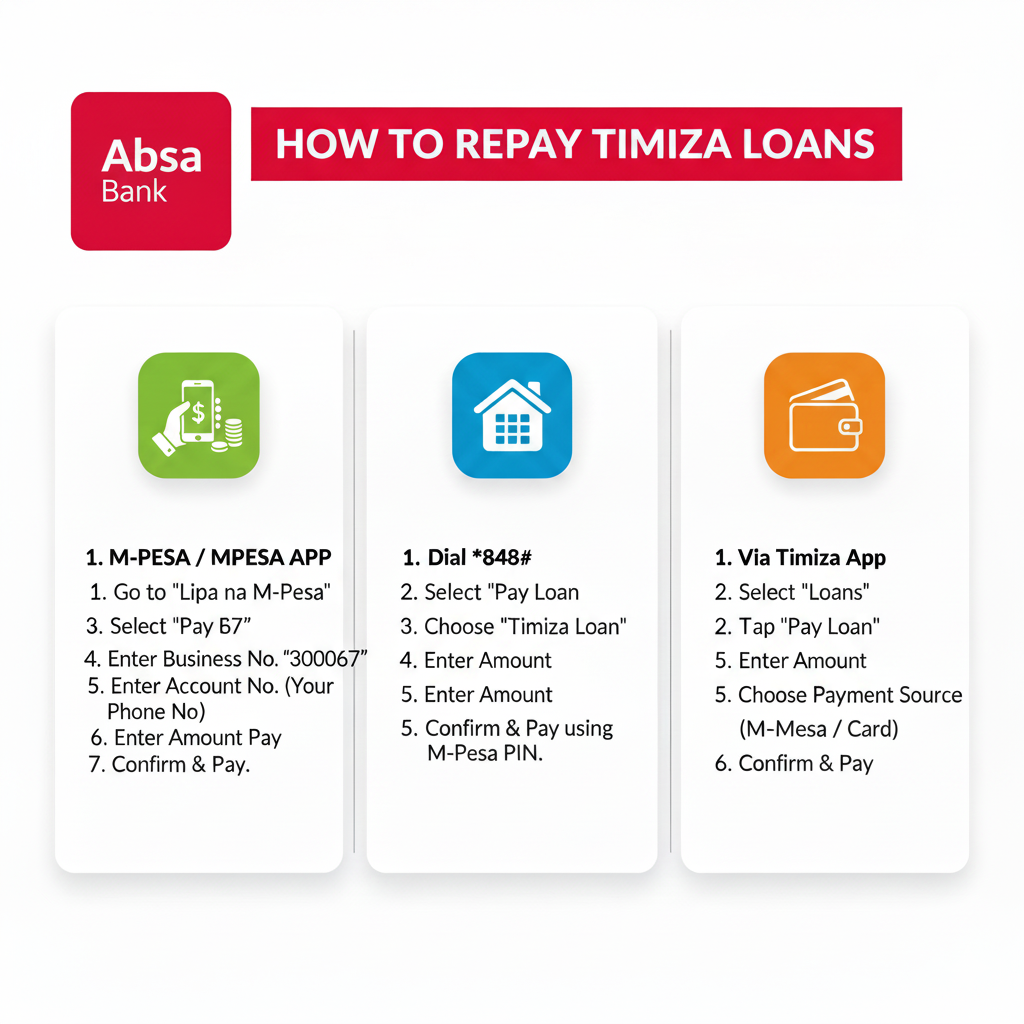
Methods of Repaying Timiza Loans in Kenya
There are four main ways to repay your Timiza loan:
- Via M-Pesa Paybill (Business Number 300067)
- Through the Timiza Mobile App
- *Using the Timiza USSD Code 848#
- Through Your Timiza Wallet Balance
Each of these options is fast, secure, and available 24/7.
1. How to Repay Timiza Loan via M-Pesa Paybill (300067)
Repaying through M-Pesa is the most common and convenient method.
Steps:
- Go to your Safaricom SIM Toolkit.
- Select M-Pesa → Lipa na M-Pesa → Paybill.
- Enter Business Number:
300067. - Enter Account Number: Your Timiza-registered Safaricom number (e.g. 07XX XXX XXX).
- Enter the Amount you wish to repay.
- Input your M-Pesa PIN and confirm the transaction.
- Wait for an M-Pesa confirmation SMS and a Timiza repayment confirmation message.
✅ Tip: Always use your registered phone number as the account number.
2. How to Repay Timiza Loan via the Timiza App
You can easily repay your loan directly within the app.
Steps:
- Open the Timiza App on your smartphone.
- Log in using your PIN or biometrics.
- Tap on “My Loans” or “Repay Loan”.
- Choose your active loan and select “Repay”.
- Enter the repayment amount (full or partial).
- Choose your repayment option — from M-Pesa or Timiza Wallet.
- Confirm the payment and wait for a success notification.
The app will automatically update your loan balance once payment is complete.
*3. How to Repay Timiza Loan via USSD Code (*848#)
If you don’t have the Timiza app or internet access, the USSD option is perfect.
Steps:
- Dial
*848#on your Safaricom line. - Choose “Loans” from the menu.
- Select “Repay Loan”.
- Enter the amount you wish to pay.
- Confirm using your Timiza PIN.
- You’ll receive an SMS confirming your payment.
4. How to Repay Using Timiza Wallet Balance
You can also deposit money into your Timiza wallet and use that balance to repay your loan.
Steps:
- Deposit funds to your Timiza wallet via M-Pesa Paybill 300067.
- Account number: Your phone number.
- Open the Timiza app or dial *848#.
- Go to “My Loans” → “Repay” → “From Wallet”.
- Enter the repayment amount and confirm.
Your loan balance will be updated instantly.
Partial Payments and Early Loan Repayments
- Partial Payments: You can make smaller payments anytime before your due date using the same methods above.
- Early Repayment: Timiza allows early loan settlement — paying early can help you reduce interest and improve your loan limit.
Timiza Loan Repayment Problems & Solutions
If your payment doesn’t reflect immediately:
- Keep your M-Pesa transaction ID.
- Wait at least 30–60 minutes — sometimes the system updates slowly.
- If not updated, contact Timiza customer care and share your M-Pesa details for confirmation.
Timiza Customer Care Contacts (Absa Bank Kenya)
If you need assistance with loan repayment, failed payments, or other account issues, reach out through the following official channels:
📞 Customer Care Numbers:
- 0709 213 000
- 020 425 4000 / 020 426 5000
📧 Email:
🌐 Website: https://www.timiza.co.ke
💬 Social Media:
- Facebook: @TimizaKenya
- X (Twitter): @TimizaKenya
Frequently Asked Questions (FAQ)
1. What is the Timiza Paybill number?
The official Timiza Paybill number is 300067 (Absa Bank Kenya).
2. Can I repay my Timiza loan from another M-Pesa number?
It’s best to use the same number registered on Timiza to avoid transaction delays.
3. How long does it take for a payment to reflect?
Most payments reflect instantly. If not, allow up to one hour or contact Timiza support.
4. Does Timiza charge penalties for late repayment?
Yes, late repayment attracts penalties and may lower your loan limit. Always repay before your due date.
5. Can I repay my loan in advance?
Yes! Early repayment is encouraged and can improve your credit score and borrowing limit.
Final Tips to Avoid Loan Issues
✅ Always repay your loan before the due date.
✅ Save all M-Pesa transaction messages.
✅ Use your registered Safaricom number for repayments.
✅ Keep your app updated for the latest repayment features.
✅ Contact Timiza immediately if your payment fails.
Conclusion
Repaying your Timiza loan in Kenya is quick, easy, and flexible. Whether you prefer using M-Pesa Paybill (300067), the Timiza app, or USSD *848#, you can settle your loan in minutes and maintain a good credit history with Absa Bank.
Timely repayments also help you increase your loan limit and unlock more financial opportunities within the Timiza ecosystem.
For any problems, always reach out to Timiza Customer Support for assistance.