M-PESA business owners and agents often need to move money from their Till Number to a personal M-PESA line for daily operations, float management, or business expenses. Understanding the correct withdrawal process helps agents save time, avoid transaction errors, and manage cash flow efficiently.
In this detailed guide, you will learn how to withdraw money from a Till Number, the fastest withdrawal method, important requirements, common mistakes to avoid, and useful tips for M-PESA agents.
What Is an M-PESA Till Number?
An M-PESA Till Number is a business payment account used to receive customer payments through Buy Goods and Services. Businesses, shops, supermarkets, and M-PESA agents use Till Numbers to collect payments securely without handling excessive cash.
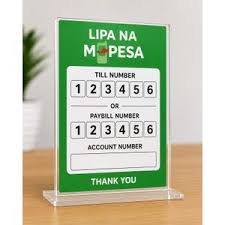
Unlike a normal M-PESA account, Till balances are managed separately and require authorized access for withdrawals.
Requirements Before Withdrawing Money From a Till Number
Before starting the withdrawal process, ensure you have:
- A registered M-PESA Business Till
- Your designated Nominated Number
- HO/Store Number (Till Number)
- Operator ID
- Operator PIN
- Sufficient balance in the Till account
- Active Safaricom network access
These credentials are necessary for secure transactions and to prevent unauthorized withdrawals.
Fastest Way To Withdraw Money From Till Number to Personal M-PESA
The easiest and most common method for M-PESA agents is transferring funds directly from the Till to the nominated personal M-PESA number.
Follow these simple steps carefully:
Step 1: Dial the USSD Code
Using your designated Nominated Number, dial:
*234#
This opens the M-PESA Business menu.
Step 2: Select M-PESA Business Till
From the menu options:
- Choose M-PESA Business Till
This allows access to your business Till operations.
Step 3: Enter Your HO/Store Number
Input your:
- HO Number
- Store Number
- Till Number
Make sure the number is entered correctly to avoid transaction failure.
Step 4: Choose Withdraw Funds
From the available options:
- Select Withdraw Funds
You will then see multiple withdrawal destinations.
Step 5: Select “To My Number”
Choose:
- To my number
This transfers money directly from the Till to your personal M-PESA account linked to the nominated line.
Step 6: Enter Withdrawal Amount
Type the amount you want to withdraw.
Example:
- KES 5,000
- KES 10,000
- KES 50,000
Always confirm the amount before proceeding.
Step 7: Enter Operator Credentials
You will now be prompted to enter:
- Operator ID
- Operator PIN
Key them in carefully and confirm the transaction.
Step 8: Receive Confirmation SMS
Once the transaction is successful:
- You will receive an SMS notification
- Funds will reflect in your personal M-PESA line immediately
You can then withdraw cash from an agent or use the funds for transactions.
Why M-PESA Agents Withdraw Till Funds
M-PESA agents and business owners withdraw Till funds for several reasons, including:
- Managing daily cash flow
- Buying additional float
- Paying suppliers
- Banking excess collections
- Handling business expenses
- Paying staff wages
- Separating business income from Till balance
Efficient withdrawals help maintain smooth business operations.
Common Problems When Withdrawing From Till Number
Sometimes agents experience withdrawal challenges. Here are common issues and solutions.
1. Incorrect Operator PIN
Entering the wrong PIN multiple times may lock your account temporarily.
Solution:
- Use the correct Operator PIN
- Reset the PIN if forgotten
2. Insufficient Till Balance
Withdrawal cannot proceed if funds are lower than the requested amount.
Solution:
- Confirm available balance before initiating withdrawal
3. Wrong Till Number
Entering the wrong Store or HO number can lead to failed transactions.
Solution:
- Double-check all business details before confirming
4. Network Delays
Safaricom system maintenance or poor network coverage may delay transactions.
Solution:
- Retry after a few minutes
- Ensure stable network coverage
Security Tips for M-PESA Agents
Protecting your Till account is extremely important. Use these security practices:
Keep Your PIN Secret
Never share:
- Operator PIN
- Nominated Number credentials
- Login details
Change PIN Regularly
Frequent PIN changes reduce fraud risk and improve account security.
Confirm Transactions Carefully
Before pressing OK:
- Verify Till Number
- Check withdrawal amount
- Confirm destination number
Avoid Public Wi-Fi or Shared Phones
Always use trusted devices when accessing M-PESA business services.
Important Tips for M-PESA Agents
Successful M-PESA agents manage float and withdrawals wisely. Here are practical tips:
1. Maintain Enough Float
Avoid withdrawing all Till funds at once. Keep enough float to serve customers efficiently.
2. Withdraw During Off-Peak Hours
System congestion is lower during:
- Early mornings
- Late evenings
Transactions may process faster.
3. Keep Daily Records
Track:
- Withdrawals
- Deposits
- Float purchases
- Agent commissions
Good record keeping improves accountability.
4. Separate Business and Personal Funds
Use withdrawals strictly for approved business or personal purposes to avoid financial confusion.
5. Monitor SMS Notifications
Always confirm:
- Amount received
- Transaction charges
- Updated balances
Immediately report suspicious activity.
6. Train Shop Attendants Properly
If multiple operators access the Till:
- Train them on safe withdrawal procedures
- Limit unauthorized access
Benefits of Withdrawing Funds to Personal M-PESA
Transferring Till funds to your personal line offers several advantages:
- Faster access to money
- Easy cash withdrawals
- Improved float management
- Better business flexibility
- Convenient supplier payments
- Quick emergency access to funds
For many agents, this is the most efficient way to manage daily operations.
Frequently Asked Questions (FAQs)
Can I Withdraw Till Money Without the Nominated Number?
No. Withdrawals must be initiated using the registered nominated number with authorized access.
How Long Does Till Withdrawal Take?
Most transactions are completed instantly, although delays can occur during system maintenance.
Is There a Withdrawal Limit?
Yes. Safaricom transaction limits and M-PESA business limits apply depending on your account setup.
Can I Reverse a Wrong Withdrawal?
Reversals may be possible if reported immediately to Safaricom customer care, but success is not guaranteed.
Final Thoughts
Learning how to withdraw money from a Till Number is essential for every M-PESA agent and business owner. Using the correct withdrawal process ensures faster transactions, better cash flow management, and improved business efficiency.
The quickest method is through the M-PESA Business menu using the nominated number, operator credentials, and the “Withdraw Funds to My Number” option.
By following proper security practices and smart float management tips, M-PESA agents can operate safely and maximize daily business performance.