Great news for students across Kenya! The Higher Education Loans Board (HELB) has officially begun disbursing upkeep and tuition funds for the 2026/2027 academic year. As thousands of university and TVET students receive notifications that their accounts are being loaded, understanding how to check your balance and withdraw your money quickly is more important than ever.
Whether you want to confirm your disbursement status, transfer upkeep funds to M-PESA, or view your loan statement, this guide explains every step in a simple and professional way.
What Is HELB and Why Is Loan Tracking Important?
The Higher Education Loans Board (HELB) provides financial support to students pursuing higher education in Kenya. The loan typically covers:
- Tuition fees paid directly to the institution
- Upkeep funds sent to the student for accommodation, food, transport, and daily expenses
Because disbursements are released in batches, regularly checking your loan balance helps you:
- Confirm when funds have been credited
- Avoid unnecessary panic or delays
- Track tuition versus upkeep allocations
- Plan your semester budget effectively
How to Check Your HELB Loan Balance (2026/2027)
There are currently three official ways students can check their HELB loan status and balance.
1. Check HELB Balance Using USSD Code (*642#)
This is the fastest and most convenient method because it works without internet access.
Steps to Follow
- Dial *642# using your registered Safaricom or Airtel line
- Select Login
- Enter your HELB PIN
- Choose Loan Status or Check Balance
- View your current loan and disbursement information instantly
This method is ideal for students in areas with limited internet connectivity.
Why Students Prefer the USSD Method
- No smartphone required
- Quick response time
- Available 24/7
- Minimal data costs
2. Check HELB Balance Using the HELB Mobile App
The updated HELB Mobile App has become one of the most reliable tools for students in 2026/2027.
Students can download the app from the official Google Play Store and log in using their registered details.
Features Available on the HELB App
- Real-time balance updates
- Disbursement tracking
- Loan mini-statements
- Application status monitoring
- Withdrawal requests
How to Use the App
- Open the HELB App
- Log in with your registered phone number and password
- Access the dashboard
- View your:
- Current balance
- Upkeep allocation
- Tuition allocation
- Disbursement status
The app also allows students to generate a detailed statement showing all transactions and allocations.
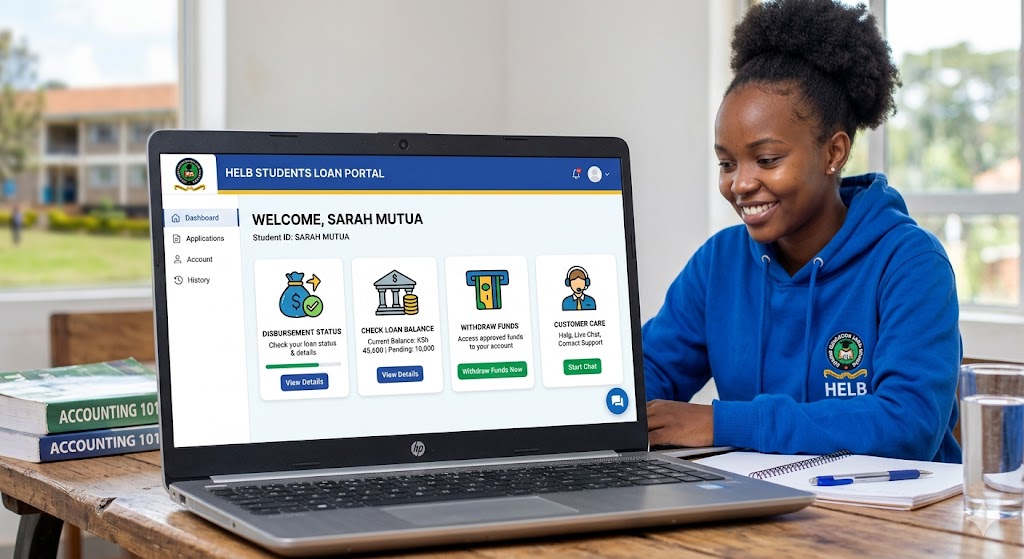
3. Check HELB Balance Through the Student Portal
Students who want a complete loan history can use the official HELB portal.
Official Portal
Steps to Access Your Loan Statement
- Visit the portal
- Log in with your email and password
- Navigate to Loan Reports
- Select Disbursement Statement
- Review all funds sent to:
- Your university or college
- Your personal upkeep account
This method provides the most detailed financial breakdown.
How to Withdraw Your HELB Loan Upkeep
Once your account status changes to “Disbursed” or funds reflect in your balance, you can proceed with withdrawal.
Remember:
- Tuition funds are sent directly to your institution
- Only upkeep funds can be withdrawn
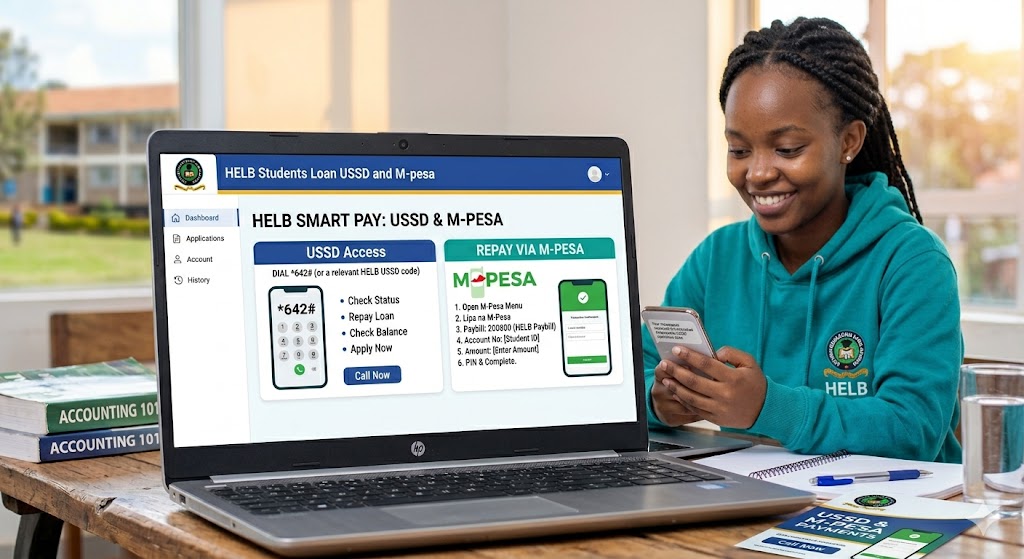
Option A: Withdraw HELB Funds Using *642#
This is the most common withdrawal method among students.
Step-by-Step Withdrawal Process
- Dial *642#
- Log in to your HELB account
- Select Withdraw Funds
- Choose Upkeep
- Enter the amount you wish to withdraw
- Confirm using your PIN
The money will typically be sent to your registered M-PESA line within minutes.
Important: Standard transaction charges may apply, usually around Ksh 15 depending on the amount withdrawn.
Option B: Withdraw HELB Funds via the HELB App
Students can also request withdrawals directly from the mobile application.
Steps
- Open the HELB App
- Select Withdrawal
- Enter the desired amount
- Confirm the transaction
Funds are usually transferred directly to the mobile number linked to your HELB account.
Important HELB Updates for 2026/2027
1. eCitizen Integration
Most HELB services are now integrated with Kenya’s eCitizen Platform.
This means students may need active eCitizen credentials to:
- Access the portal
- Reset passwords
- Verify accounts
- Complete applications
If you experience login problems, first confirm your eCitizen account is active.
2. Direct-to-Bank Disbursement
Some students who linked bank accounts during application may receive upkeep funds directly through banks such as:
- Equity Bank Kenya
- KCB Bank Kenya
- Co-operative Bank of Kenya
Before initiating a withdrawal, check your bank SMS notifications or mobile banking app to confirm whether the funds were deposited there.
3. Delayed Disbursement Assistance
If your HELB portal shows:
- Allocated
but not: - Disbursed
for more than 14 days, seek assistance from the nearest Huduma Kenya service center or HELB support desk.
Quick Tips for HELB Beneficiaries
Avoid Fraud and Scams
HELB will never:
- Ask for your M-PESA PIN
- Request “activation fees”
- Call demanding payment for processing
Only use the official *642# code and official HELB platforms.
Budget Your Upkeep Wisely
HELB funds are intended to support:
- Rent
- Food
- Academic materials
- Transport
Prioritize essential expenses before entertainment or luxury spending.
Keep Your Contact Information Updated
Changed your SIM card or phone number recently?
Update your information through the HELB portal immediately to continue receiving:
- SMS alerts
- Withdrawal confirmations
- Disbursement notifications
Frequently Asked Questions (FAQs)
How long does HELB disbursement take?
Disbursement timelines vary depending on verification and batch processing. Most students receive funds within several days after approval.
Can I withdraw tuition money?
No. Tuition funds are paid directly to your university or TVET institution.
What should I do if my HELB app is not working?
Try:
- Updating the app
- Clearing cache
- Resetting your password
- Logging in through the portal instead
Why is my HELB status showing “In Progress”?
This usually means your application is still under review or awaiting disbursement. HELB processes loans in batches, so continue checking daily.
Final Thoughts
The 2026/2027 HELB disbursement season is now underway, and students are encouraged to monitor their balances regularly to avoid delays and confusion. Whether you choose the USSD method, mobile app, or student portal, staying informed about your loan status will help you manage your finances better throughout the semester.
If your account still shows “In Progress,” remain patient and continue checking your portal regularly, as HELB is processing disbursements in phases throughout the week.