Receiving your Higher Education Loans Board (HELB) upkeep funds is a major relief for many university and TVET students in Kenya. These funds often cover essential expenses such as rent, food, transport, and academic materials throughout the semester.
Thanks to the partnership between HELB and Safaricom, students no longer need to queue at banks to access their money. Today, HELB upkeep funds can be conveniently transferred and withdrawn directly through M-PESA.
This guide explains the step-by-step process of withdrawing HELB money via M-PESA for the 2026/2027 academic year.
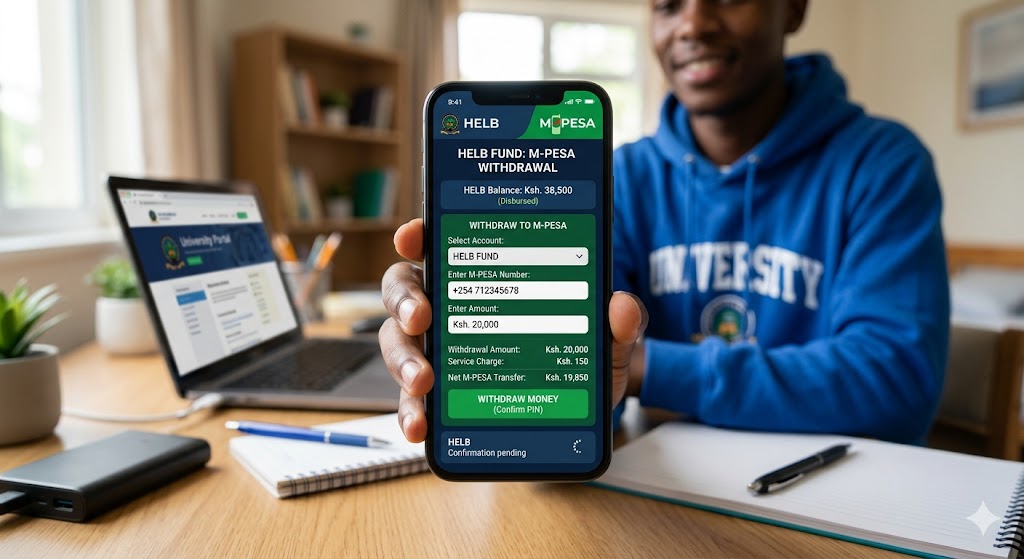
Requirements Before Withdrawing HELB Funds
Before initiating a withdrawal, ensure you meet the following requirements:
- The Safaricom SIM card must be registered under your own National ID number. HELB does not process transactions linked to numbers registered under another person’s identity.
- Your HELB loan status should indicate “Disbursed” on the student portal.
- You must have an active M-PESA account linked to your Safaricom line.
Method 1: Withdraw HELB Money Using the USSD Code (*642#)
The USSD option remains the most widely used method because it is quick, secure, and accessible on all mobile phones, including basic feature phones. It also does not require an internet connection.
Step-by-Step Process
- Dial *642# using your Safaricom line.
- If you are a first-time user:
- Select Register
- Create a secure 4-digit PIN
- Select Login
- Enter your PIN
- From the main menu, choose Withdraw Funds.
- Select Upkeep.
- Enter the amount you wish to transfer to M-PESA.
- Confirm the transaction details.
- Enter your M-PESA PIN to authorize the withdrawal.
- You will receive SMS confirmations from both HELB and M-PESA once the transaction is completed successfully.
Note: Withdrawals via the USSD platform attract a standard transaction fee of Ksh. 15.
Method 2: Withdraw HELB Funds Using the M-PESA Super App
Students with smartphones can also access HELB services through the HELB Mini App integrated into the M-PESA Super App.
Step-by-Step Process
- Open the M-PESA Super App on your smartphone.
- Tap Services or Categories.
- Navigate to Education and select the HELB Mini App.
- Log in using your registered mobile number.
- First-time users will receive a One-Time Password (OTP) via SMS for verification.
- Once logged in, your HELB balance will be displayed on the dashboard.
- Select Withdraw.
- Enter the amount you want to transfer to your M-PESA wallet.
- Confirm the transaction using your M-PESA PIN.
The transfer is typically processed instantly.
Method 3: Withdraw HELB Money Through the Official HELB Mobile App
HELB also provides an official mobile application for Android and iOS users.
Steps to Follow
- Download or update the HELB Mobile App from the Google Play Store or Apple App Store.
- Log in using your National ID and password or PIN.
- Open the Loans or Disbursement section.
- Select Withdraw to M-PESA.
- Enter the amount you wish to withdraw.
- Review the applicable transaction charges and submit the request.
Funds are usually reflected in your M-PESA account within a short period.
HELB Withdrawal Charges and Processing Time (2026/2027)
| Transaction Method | Charges | Processing Time |
|---|---|---|
| USSD (*642#) Withdrawal | Ksh. 15 | Instant |
| M-PESA Super App | Varies | Instant |
| HELB Mobile App | Varies | Instant |
Important: Standard M-PESA withdrawal charges will apply if you later cash out the funds at an M-PESA agent or transfer money to another user.
Frequently Asked Questions (FAQs)
1. Why am I receiving an “ID Match Error”?
This error occurs when the Safaricom number being used is not registered under your National ID. HELB verifies ownership details to prevent fraud and unauthorized transactions.
2. Can I withdraw HELB money using Airtel Money or T-Kash?
Although HELB continues to explore additional mobile money integrations, M-PESA remains the most reliable and widely supported withdrawal option for the 2026/2027 academic year.
3. My HELB status says “Disbursed,” but I have not received the funds. What should I do?
A “Disbursed” status means HELB has already released the funds. In some cases, it may take between 48 and 72 working hours for the transaction to reflect in your M-PESA account due to banking and mobile network processing timelines.
If the delay exceeds this period, contact HELB through their official support channels for assistance.
Smart Budgeting Tip for Students
Once your HELB funds are received, it is advisable to budget carefully for the semester. Prioritize important expenses such as rent, meals, transport, and academic materials before spending on non-essential items. Proper financial planning can help you avoid running short of funds before the semester ends.
If you experience challenges while using *642# or withdrawing your HELB funds, consider contacting HELB customer support for further assistance.